Direct answer: Define a business mobile app around the complete user task, the data it needs, the device capabilities it truly uses, and the operational controls required after launch. Decide what must work offline, who may access each action, how failures recover, and what evidence will show the app improves the workflow.
Many mobile projects start with a screen list. That is too narrow for a field team, sales operation or customer service workflow: the app has to coordinate people, devices and back-office systems. A useful requirements document describes the work from trigger to confirmed outcome. It also shows which decisions remain open before design or implementation begins.
OpenGeeksLab’s mobile app development service covers the delivery path. If the team is still choosing a platform, read our native, cross-platform and responsive web comparison alongside this requirements checklist.
Start with one end-to-end task
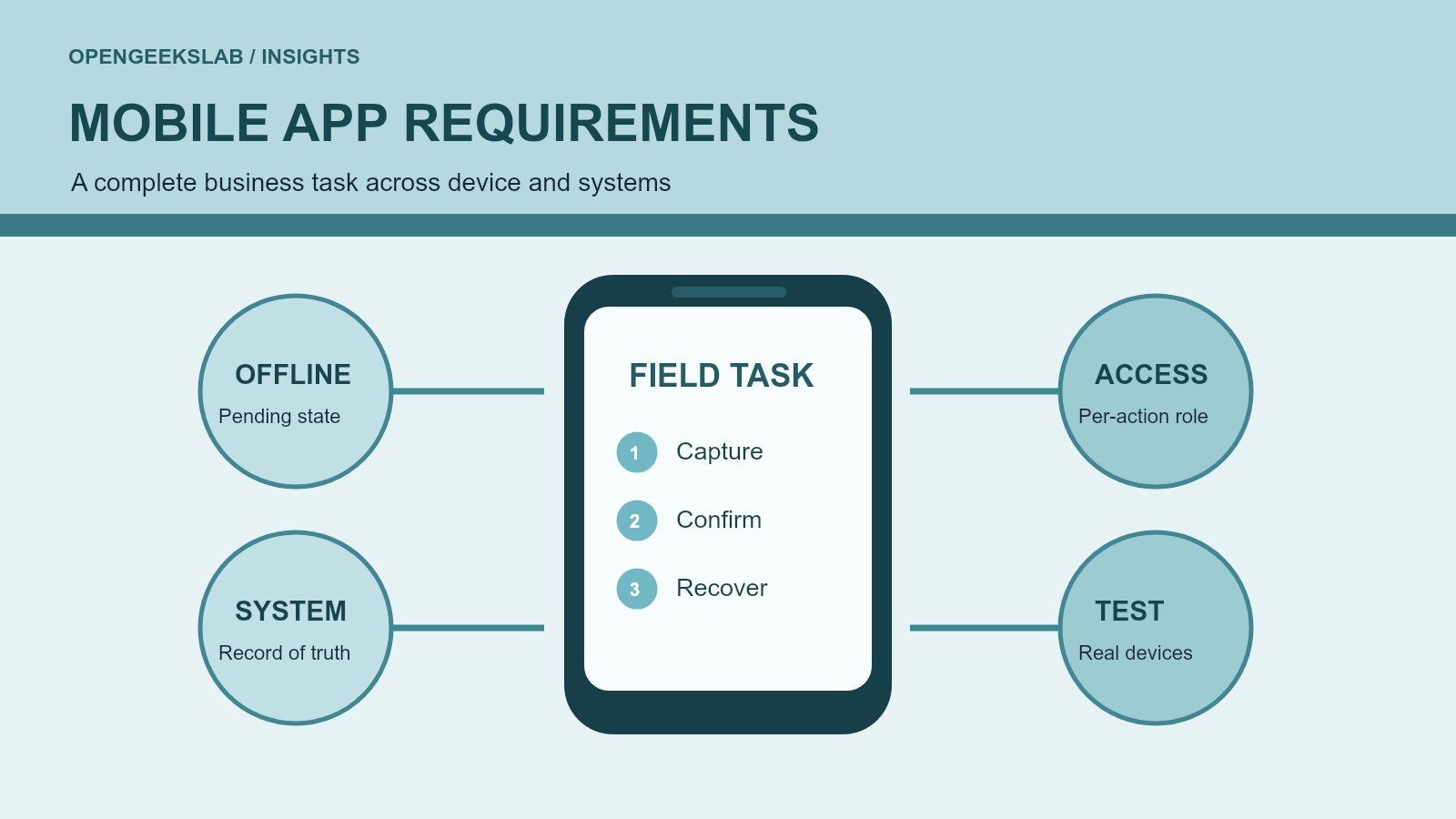
Choose a representative task such as a technician closing a service visit. Record who initiates it, what information is already known, what the user must capture, which approval is needed and what changes in the system of record. Include exceptions: the customer is unavailable, the device loses connectivity, an attachment is too large, or the operation is submitted twice.
Write the expected result as an observable acceptance test. For example: a technician can record parts used and obtain a customer acknowledgement; the office sees the same job status; a failed sync is visible and can be retried without creating a second charge. This tests the workflow, not merely whether a button responds.
Decide what belongs on the device
List the device features that genuinely improve the task: camera, barcode scanning, location, notifications or secure local storage. For each feature, state the user benefit and a fallback. A camera requirement might mean photographing damage before repair, but the app also needs guidance on image quality, upload progress, retention and who may see the photo.
Separate required offline behavior from convenient caching. If staff work in buildings or remote areas with unreliable signal, decide which records can be created offline, how conflicts are resolved, and what the user sees before synchronization is confirmed. Never present a locally saved action as a completed server transaction unless that distinction is clear.
Specify access, privacy and security by action
A role label alone is not enough. Map who can view, create, approve, edit or reverse each record, and whether access changes by team, customer or location. Identify sensitive fields, session behavior, device loss procedures and audit events. The OWASP Mobile Application Security Verification Standard provides categories for storage, authentication, network communication, platform interaction, code and privacy checks. Choose the controls that fit the information and actions in this product.
For user-facing accessibility, define screen-reader labels, focus order, touch targets, text scaling and clear error messages as acceptance criteria. The W3C Web Content Accessibility Guidelines overview explains the shared principles and notes their application to web on mobile and, through supporting guidance, non-web software. Test the actual mobile interface with assistive technology rather than treating a checklist as a substitute for use.
Describe integrations and failure recovery
Name the authoritative system for customers, jobs, prices and status. For every integration, specify the operation, identifier, expected response, timeout and recovery path. Decide whether updates must be immediate or can be queued, and how staff will know a request is still pending. If two systems disagree, name the person or process that resolves the conflict.
Keep a stable operation ID for retryable writes. This lets the server recognize a repeated request after a lost response. Test a slow connection, interrupted upload, expired session and duplicate tap. A usable app tells the person what happened and what they can safely do next.
Turn requirements into a first release
Score each capability against task value, delivery risk, dependency and evidence needed. The first release should complete one valuable journey with its support and recovery functions; it does not need every proposed dashboard or notification. Put uncertain assumptions into a short test plan with representative users and actual devices.
Before development starts, ask the team to show a workflow map, data and permission matrix, integration contracts, accessibility and security acceptance tests, and a release-support owner. These artifacts make scope decisions explicit and give designers, engineers and business owners the same definition of done.
Frequently asked questions
Should a business app work offline?
Only when the user task and connectivity conditions require it. State exactly which actions are available offline and when they become confirmed in the system of record.
How detailed should mobile app requirements be?
Detailed enough to test the complete journey, exceptions, permissions and integration outcomes. Leave visual and technical choices open where a prototype or discovery test can resolve them more effectively.
What should be measured after launch?
Measure task completion, error and retry rates, support cases and the business outcome the app was built to improve. Review these signals with users before expanding scope.