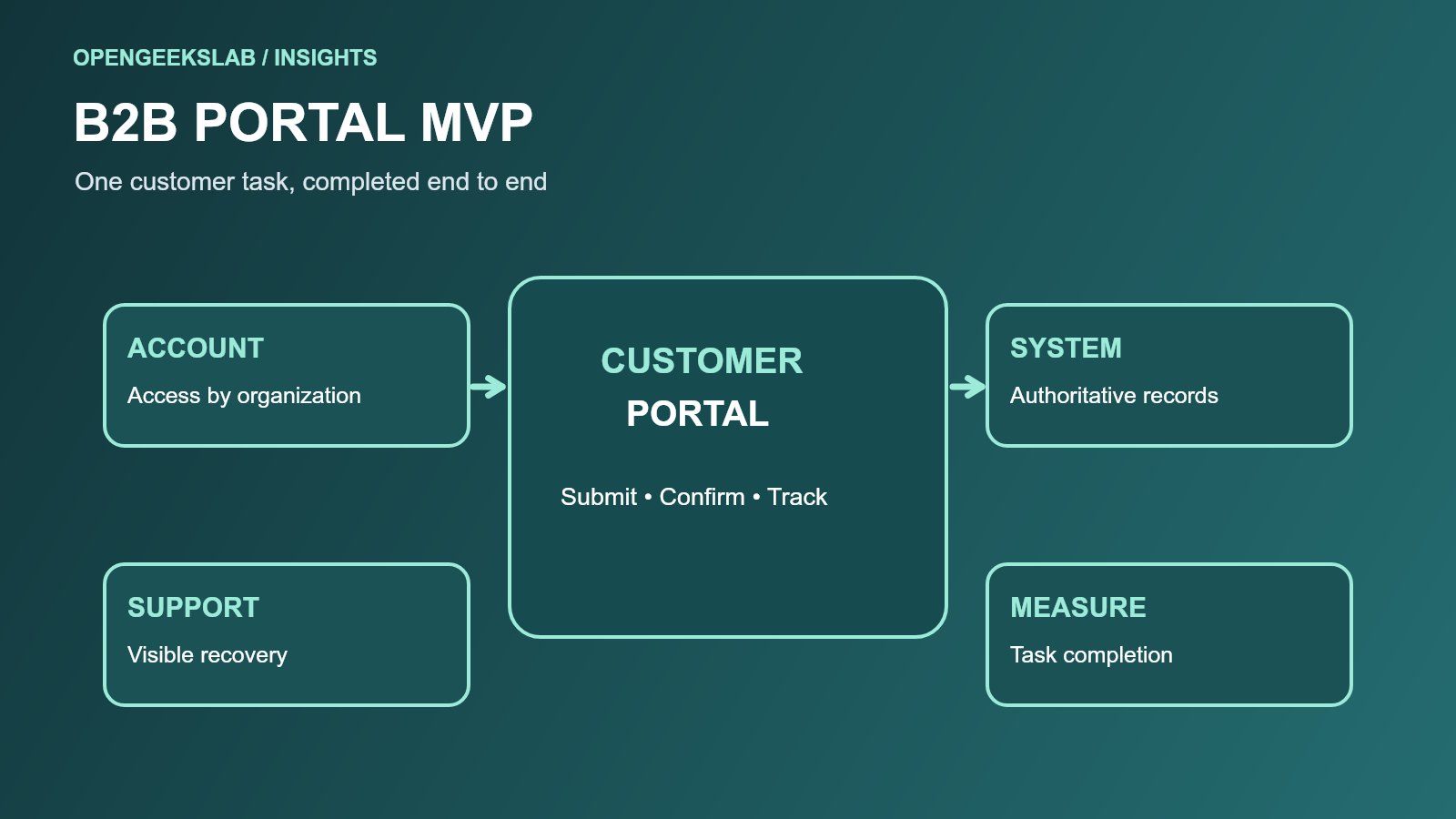
Direct answer: A useful B2B customer portal MVP lets a customer complete one important task with the right account permissions and a trustworthy result. Start with the journey, identify the system of record, and include the support and failure paths required to make the transaction dependable.
Examples include checking an order, submitting a service request or approving a document. A long feature list is less useful than a complete task that customers can actually finish. OpenGeeksLab’s custom software development service covers portal delivery; our MVP scope and cost guide helps frame the first release.
Choose the customer job
Interview the customer-facing team and a small set of actual customers. Map the current task from trigger to confirmation: what starts it, what information is needed, which systems respond and what happens afterward. Include variations such as several users in one customer account, delegated approval and an expired invitation.
Define success in terms a business owner can observe. For a service request, that could be a customer submitting complete information, receiving a reference number and seeing its current state without contacting support. Capture the current volume and failure reasons before building, then compare the first release against that baseline.
Model organizations and permissions
B2B access is rarely a simple user profile. A person may belong to more than one organization, while an organization may have administrators, buyers, finance contacts and read-only users. Define who can view, create, approve, download or change each record. Test account switching, invited users, departed employees and customer-to-customer isolation.
The OWASP Application Security Verification Standard gives teams a structured basis for checking authentication, access control and other application security requirements. Use it to turn permissions into test cases. Do not infer that a secure login alone protects every object behind the portal.
Connect to the system of record
Decide where orders, invoices and service cases are authoritative. The portal should show when data was last updated and distinguish a saved request from a confirmed back-office transaction. For writes, use stable identifiers and repeat-safe processing so a customer retry does not create two orders. Define the behavior when an integration is slow or unavailable.
Keep the portal’s data model focused on customer tasks. A backend adapter can translate between a legacy system and a clear customer-facing model. Make support staff able to see the same reference and status as the customer, with appropriate access. This reduces the gap between a polished screen and operational reality.
Build a complete first release
Prioritize the smallest journey that can be launched responsibly. It may need sign-in, account selection, one task, status tracking, notifications and a support route. A dashboard with many incomplete cards is a weaker MVP than one working transaction. Put analytics, complex administration and secondary workflows behind explicit next-release decisions.
Accessibility is part of the acceptance criteria. The W3C Web Content Accessibility Guidelines provide a basis for keyboard support, labels, error messages and readable presentation. Test the portal with real forms, documents and mobile layouts, including the failure states customers will encounter.
Release decision framework
- One customer task is complete from start to confirmed result.
- Organization-level access and isolation have been tested.
- Integration retries and failure messages are understandable.
- Support can trace a customer reference.
- Task completion and support demand can be measured.
Bring one representative customer journey and the current system map to discovery. The first useful decision is what to prove, not how many portal features can fit into a backlog.
Frequently asked questions
Does a portal MVP need every customer account feature?
No. It needs the access and support features required for its first complete task. Add other capabilities after observing real use.
Can a portal sit on top of a legacy system?
Yes, if the integration clearly defines data ownership, permissions, failure handling and a path for later modernization.